














Semester 1 is underway! This semester, we’re making some important changes to how AI works across your studies, and we want to make sure you understand what’s new and what it means for you.
Three things are changing:
- You now have access to CoPilot Chat (Microsoft’s AI assistant) through your La Trobe account. It’s available in Teams and Edge. Log in with your student account to use it securely. Find further instructions in the Library AI Guide.
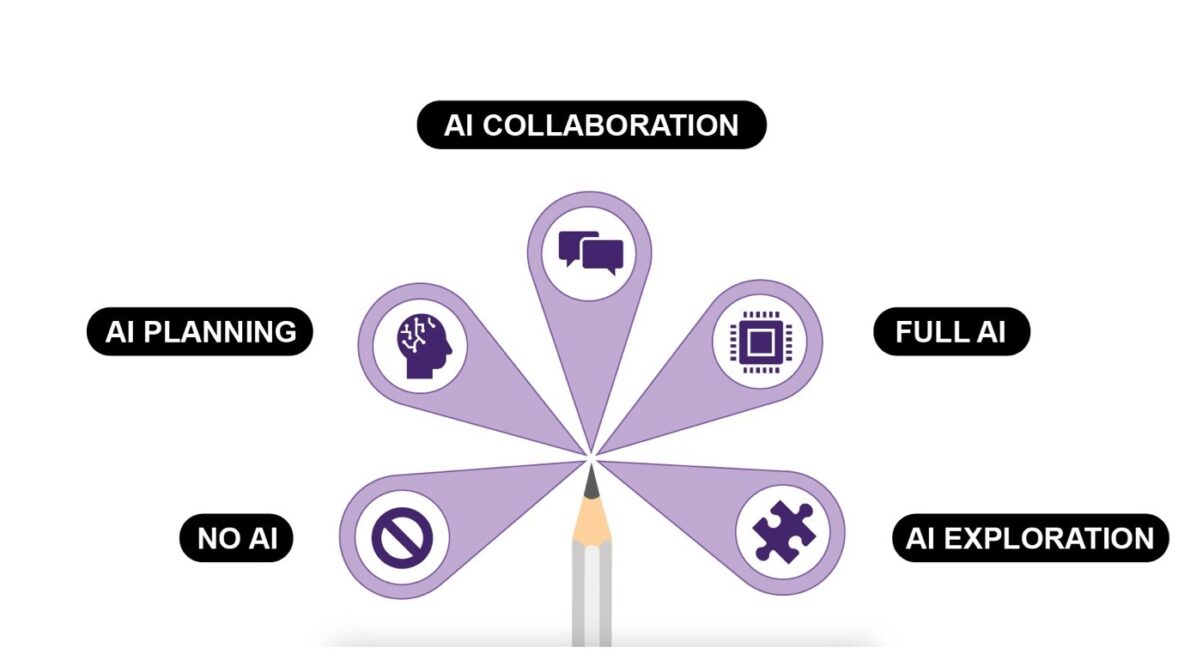
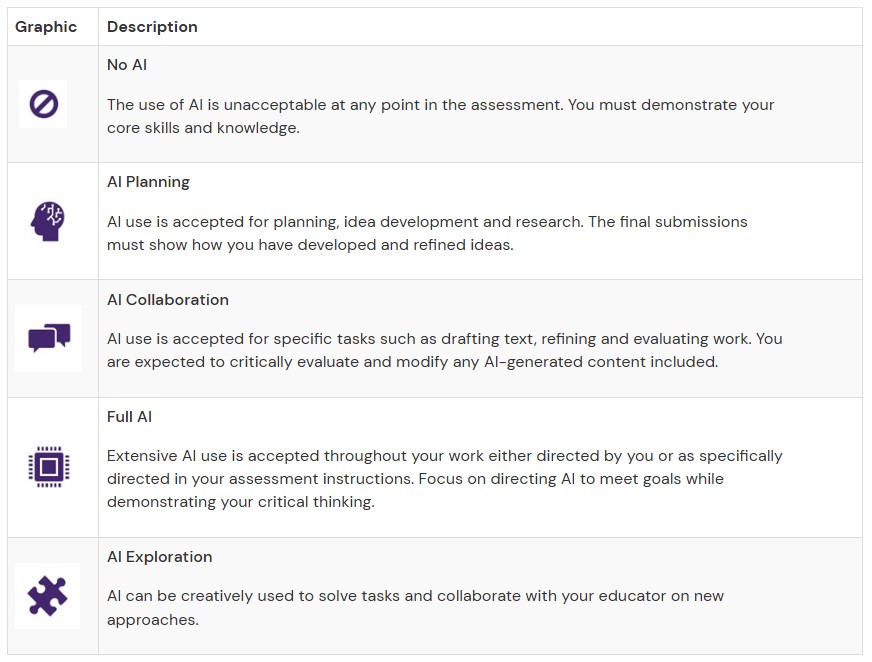
- Every assessment task now has an AI level. The AI Assessment Scale tells you exactly how much AI use is appropriate for each task, from Level 1 (no AI, supervised assessment only) through to Level 5 (full creative AI collaboration). You’ll see your assessment’s level in your subject LMS site.
- Acknowledging when and how you use AI is now part of submitting your assessments. For each unsupervised assessment task, you’ll be asked to complete a short acknowledgement about how you used AI. This is to facilitate transparent AI use and build good professional habits rather than a mechanism to monitor AI use.
What the AI Assessment Scale looks like in practice
Level 1- No AI: Used only for supervised assessments (like in-person exams or observed clinical skills). AI tools are not appropriate here because the assessment is conducted under observation.
Level 2- AI for Planning: AI can be used for ideas generation, outlining and brainstorming. All final content must be written by you, independently of AI. If you use AI to help you plan or structure your thinking, you must acknowledge this.
Level 3- AI Collaboration: AI can be used to revise drafts, check grammar and improve clarity. You are expected to critically evaluate and modify any AI-generated suggestions and keep a record of how AI tools shaped your work. The final piece should clearly reflect your own thinking and voice.
Level 4- Full AI: Extensive AI use is accepted, including AI-generated drafts that you direct and refine. The emphasis is on your critical judgement in shaping and evaluating the output. You must cite AI tools used and reflect on their accuracy and appropriateness.
Level 5- AI Exploration: AI can be used creatively and experimentally as part of the assessment itself, for example in problem solving, design, or multimedia work. You should be prepared to explain your creative process and how AI was involved. Your educator will provide specific guidance.
Important: The level is set per assessment task, not per subject. One subject may have different levels for different tasks. Always check.
Where to go for help
For CoPilot Chat access instructions and further resources visit the Library AI guide. If you’re unsure about a specific assessment, ask your subject coordinator.
We want you to be confident using these tools, and we’re here to help you do that responsibly.
See also: How to Acknowledge AI in Assessments